Buy radwege.eu ?
We are moving the project
radwege.eu .
Are you interested in purchasing the domain
radwege.eu ?
domain@kv-gmbh.de · 0541-91531010
Buy radwege.eu ?
How can one merge paths in Adobe Illustrator?
To merge paths in Adobe Illustrator, you can use the Pathfinder panel. First, select the paths you want to merge. Then, open the Pathfinder panel by going to Window > Pathfinder. In the Pathfinder panel, you can use the Unite option to merge the selected paths into a single shape. This will combine the paths into one continuous shape, allowing you to create more complex and unified designs. **
How can you make paths thicker in Adobe Illustrator CS4?
To make paths thicker in Adobe Illustrator CS4, you can use the Stroke panel. First, select the path you want to make thicker. Then, go to the Stroke panel and increase the weight of the stroke by entering a higher number in the "Weight" field or using the up and down arrows. You can also use the Stroke panel to change the type of stroke, such as making it dashed or dotted. **


Similar search terms for Adobe
Top-Angebote
Products related to Adobe:
-
Terra by Obeetee Aero Lynx Adobe RugTerra by Obeetee redefines timeless craftsmanship for the modern world. Rooted in the rich traditions of old-world textile artistry and elevated by innovative manufacturing techniques, Terra brings together heritage and modernity in every piece.999,99 $*Shipping: 0,00 $Secure redirect to the provider
-
Adobe Premiere Pro 2021 Full Version ProductBuy Adobe Premiere Pro 2021 – August 2024 Deal! Create flawless productions and bring your storytelling to life with Adobe Premiere Pro 2021. Edit your videos like a pro, anywhere, anytime. Available for Windows systems only, this exclusive offer is valid for August 2024. Key Features: Genuine Adobe Product: Enjoy 100% authentic software, guaranteed to work flawlessly. Windows Compatibility: Compatible with both x86 (32bit) and x64 (64bit) versions of Windows. Global Accessibility: Supports all language versions and works worldwide. Instant Delivery: Receive your product key and download link instantly via email after purchase. No Subscription Needed: Own the full version of the software with no time limits. FAQs: Q: How do I access the application post-purchase? A: You will receive a link to download the product. Q: Is the provided key truly genuine and legitimate? A: Absolutely, rest assured that our key is not only legitimate but also 100% authentic. Q: Can I obtain customer care support in the future? A: Certainly! Direct support is readily available through our official site. Q: Which operating systems are supported? A: Our licenses seamlessly integrate with both x86 (32bit) and x64 (64bit) versions of Windows. Immerse yourself in the Adobe Premiere Pro 2021 experience, meticulously designed to elevate your video editing journey. Make your purchase now and start creating like a pro! Note: Customers will receive a private direct link to the pre-activated version, not a key or account.14,94 £*Shipping: 0,00 £Secure redirect to the provider
-
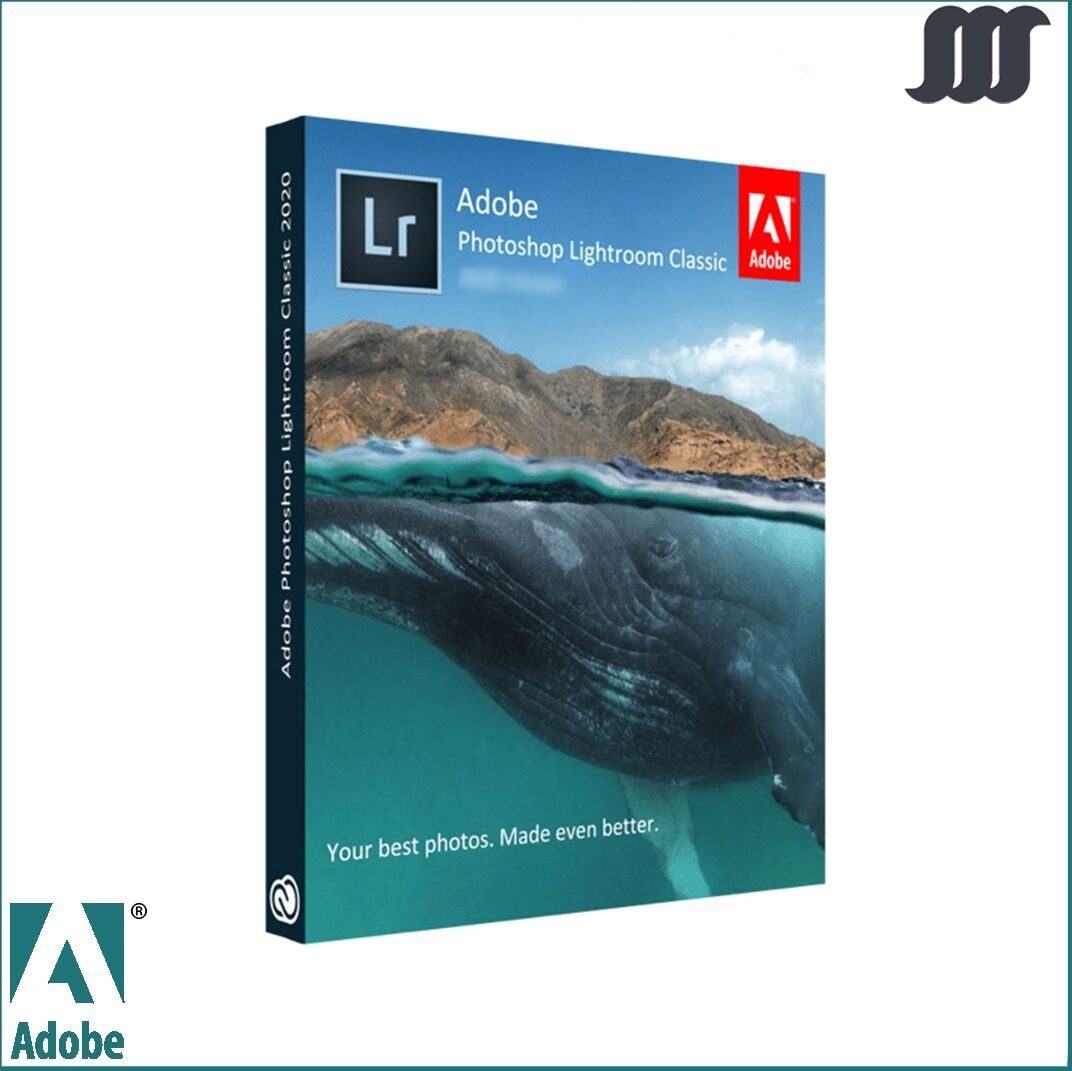
Adobe Lightroom Classic 2021 – Full Version WindowsEdit and organize your photos like a pro with Adobe Lightroom Classic. This version is fully pre-activated and works on Windows only. No Adobe account or product key is required. You will receive a direct private download link after purchase. Once installed, it’s ready to use for life. This is a one-time purchase with lifetime access, ideal for photographers, editors, and creators looking for advanced photo editing without a subscription. Key Features: Full pre-activated version for Windows only Lifetime access – no subscription, no monthly fees Supports all languages and works worldwide Includes professional tools for editing, organizing, and exporting photos Access premium presets and premium features like Super Resolution Designed for desktop workflow with advanced editing controls System Requirements: OS: Windows 10 or 11 (64-bit) Processor: Intel or AMD 64-bit; 2 GHz or faster RAM: 8 GB (16 GB recommended) Storage: 2 GB available disk space (SSD recommended) Display: 1280 x 800 resolution minimum What You’ll Receive: Private download link (sent to your email after purchase) Step-by-step instructions for installation Lifetime use on one Windows device Friendly support if you need help Important Notes: This version is for Windows only It’s a pre-activated lifetime version (not a subscription) No Adobe ID or online sign-in is needed If you have any questions before or after purchase, feel free to contact us. We’re here to help.15,19 £*Shipping: 0,00 £Secure redirect to the provider
-
Adobe Lightroom Classic 2020 (Windows) - Lifetime Licence📸 Adobe Lightroom Classic 2020 (Windows) - Lifetime Licence Find out Adobe Lightroom Classic 2020 , the leading software for the professional management and editing of digital photos. Perfect for photographers, graphic designers and enthusiasts, it offers advanced development and organisation tools to help you get the most out of every shot. 🌟 Main features: 🧠 Professional editing of RAW and JPEG photos: Adjust exposure, contrast, colour and sharpness with precision. 🎨 Advanced correction tools: Remove imperfections, adjust specific tones and apply creative filters. 🗂️ Smart organisation: Easily manage large photo libraries using tags, collections and keywords. ⚡ Optimised performance: A smooth and fast workflow, even with high-resolution photos. 💾 Life licence: A one-off payment, with no subscriptions or additional costs. 💻 Compatible with Windows. 📦 Product content: Original activation key (1 device) Installation and activation guide Permanent licence With Adobe Lightroom Classic 2020 , gain complete control over your images: from import to export, all within a single powerful and intuitive tool.21,99 £*Shipping: 0,00 £Secure redirect to the provider



-
What is the difference between Adobe Photoshop and Adobe Illustrator?
Adobe Photoshop is primarily used for editing and manipulating raster images, which are made up of pixels. It is great for photo editing and digital painting. On the other hand, Adobe Illustrator is used for creating vector graphics, which are based on mathematical equations and can be scaled infinitely without losing quality. Illustrator is ideal for creating logos, illustrations, and other graphics that require crisp lines and shapes. **
-
Can Adobe Illustrator or Adobe InDesign be used without signing in?
Yes, both Adobe Illustrator and Adobe InDesign can be used without signing in. Users can choose to use the software in a trial mode without creating an Adobe account. However, some features may be limited in the trial version, and users will be prompted to sign in or purchase a subscription to access the full range of features and capabilities. **
-
Can Adobe Illustrator or Adobe InDesign be used without logging in?
Yes, both Adobe Illustrator and Adobe InDesign can be used without logging in. Users can choose to use the software in a trial mode without signing in with an Adobe ID. However, some features may be limited in the trial version. Once the trial period expires, users will be prompted to sign in or purchase a subscription to continue using the software. **
-
How can one download Adobe Photoshop without having an Adobe ID?
To download Adobe Photoshop without an Adobe ID, you can purchase a physical copy of the software from a retailer or online store. Some retailers may offer a one-time purchase option that does not require an Adobe ID for activation. Alternatively, you can explore other photo editing software options that do not require an Adobe ID for download and use. **


What is Adobe 40?
Adobe 40 is a digital marketing platform that offers a range of tools and services to help businesses create, manage, and optimize their online marketing campaigns. It includes features such as analytics, social media management, email marketing, and advertising tools to help businesses reach their target audience and drive engagement. Adobe 40 aims to provide a comprehensive solution for businesses looking to improve their digital marketing efforts and achieve their marketing goals. **
What is Adobe Bridge?
Adobe Bridge is a digital asset management software that allows users to organize, browse, and manage their creative assets such as images, videos, and documents. It provides a centralized location for users to access and organize their files, as well as to view and edit metadata. Adobe Bridge also integrates with other Adobe Creative Cloud applications, allowing for seamless workflow and file management across different creative projects. Overall, Adobe Bridge is a powerful tool for organizing and managing digital assets for creative professionals. **
Top-Angebote
Products related to Adobe:
-
Adobe Acrobat Pro 2018 (PC) 1 Device - Adobe Key - GLOBALAdobe Acrobat Pro 2018 (PC) 1 Device - Adobe Key - GLOBAL Adobe Acrobat Pro 2018 is a comprehensive PDF solution that allows users to create, edit, convert, and share PDF documents with ease. It offers a robust set of tools for handling PDF files, making it an essential software for professionals, students, and businesses alike. Key Features: Create PDF Files: Easily create PDF documents from any application that prints, including Microsoft Office applications. Edit PDF Files: Modify text, images, and other elements within PDF files. Adjust formatting, correct typos, and update information quickly. Convert PDF Files: Convert PDF documents to and from various file formats, including Word, Excel, PowerPoint, and HTML. Maintain the original formatting and layout during the conversion process. Combine Files: Merge multiple files into a single PDF document, making it easier to manage and share information. Protect PDF Files: Apply passwords and permissions to PDF files to secure sensitive information. Prevent unauthorized access, copying, editing, and printing. Fill & Sign Forms: Fill out, sign, and send PDF forms electronically. Use e-signature tools to add legally binding signatures to documents. Comment and Review: Add comments, annotations, and markup tools to PDF files for collaborative review processes. Optimize PDFs: Reduce the file size of PDF documents for easier sharing and storage without compromising quality. Advanced Search: Utilize advanced search functionality to locate specific text, keywords, or phrases within PDF documents. Accessibility: Ensure PDF documents are accessible to individuals with disabilities by using built-in accessibility tools and compliance checks. System Requirements: Operating System: Windows 7, 8, 8.1, or 10 Processor: 1.5 GHz or faster processor RAM: 1 GB (32-bit) or 2 GB (64-bit) Hard Disk Space: 4.5 GB of available hard-disk space Monitor Resolution: 1024x768 screen resolution Internet Connection: Required for software activation, validation of subscriptions, and access to online services Licensing: License Type: Single Device License Key Type: Global Adobe Key Validity: The license is perpetual, meaning it does not expire and can be used indefinitely on the licensed device. Use Cases: Business: Create and manage business documents, contracts, and reports. Secure sensitive information and collaborate with team members. Education: Prepare study materials, e-books, and research papers. Annotate and share documents with students and colleagues. Personal: Manage personal documents, such as invoices, tax forms, and legal papers. Convert and edit documents as needed. Adobe Acrobat Pro 2018 is an indispensable tool for anyone who needs to work with PDF documents regularly. Its extensive feature set and user-friendly interface make it a top choice for professional and personal use.9,96 £*Shipping: 0,00 £Secure redirect to the provider
-
Adobe Acrobat Pro DC 2019 (PC) (1 Device, Lifetime) - Adobe Key - GLOBALAdobe Acrobat Pro DC 2019 Key (PC) (1 Device, Lifetime) - GLOBAL Comprehensive PDF Solution for Your Desktop Buy Adobe Acrobat Pro DC 2019 Key and unlock a comprehensive desktop solution for handling all your PDF document needs. This lifetime license for one device provides powerful features to view, annotate, fill out, sign, and send PDF files, as well as advanced tools for creating, editing, exporting, and organizing PDFs. Whether you're working on Windows 10 or 11, Adobe Acrobat Pro DC ensures efficient and seamless document processing. How to Activate Adobe Acrobat Pro DC 2019 Key Run the Acrobat DC installation program on your computer. Enter your serial number when prompted and click the Install or Activate button. The program will automatically communicate with Adobe’s website to confirm the serial number, and then you can start using Acrobat DC on your computer. Key Features of Adobe Acrobat Pro DC 2019 PDF Creation: Easily create high-quality PDF files from various sources. PDF Conversion: Convert files from other formats (such as Microsoft Office) to PDF. PDF Editing: Edit text, images, and other content within PDF documents. PDF Sharing and Collaboration: Share PDFs for viewing, reviewing, and signing. Track progress from any device. Delivery Information Genuine Adobe Product: 100% authentic and guaranteed. Global Compatibility: Works worldwide on PC (Windows 10/11 only). Instant Email Delivery: Receive your product key via email immediately after payment. Lifetime License: Enjoy Adobe Acrobat Pro DC 2019 for a lifetime on one device. Buy Now for Only $13.50! Receive instant delivery of your product key via email upon purchase. If you have any questions or concerns, please contact us. We guarantee 100% satisfaction! Internal and Outbound Links Internal Link: Check out our other Adobe software products. Outbound Link: Learn more about Adobe Acrobat Pro DC 2019 on the official Adobe website.10,08 £*Shipping: 0,00 £Secure redirect to the provider
-
Terra by Obeetee Aero Lynx Adobe RugTerra by Obeetee redefines timeless craftsmanship for the modern world. Rooted in the rich traditions of old-world textile artistry and elevated by innovative manufacturing techniques, Terra brings together heritage and modernity in every piece.999,99 $*Shipping: 0,00 $Secure redirect to the provider
-
Adobe Premiere Pro 2021 Full Version ProductBuy Adobe Premiere Pro 2021 – August 2024 Deal! Create flawless productions and bring your storytelling to life with Adobe Premiere Pro 2021. Edit your videos like a pro, anywhere, anytime. Available for Windows systems only, this exclusive offer is valid for August 2024. Key Features: Genuine Adobe Product: Enjoy 100% authentic software, guaranteed to work flawlessly. Windows Compatibility: Compatible with both x86 (32bit) and x64 (64bit) versions of Windows. Global Accessibility: Supports all language versions and works worldwide. Instant Delivery: Receive your product key and download link instantly via email after purchase. No Subscription Needed: Own the full version of the software with no time limits. FAQs: Q: How do I access the application post-purchase? A: You will receive a link to download the product. Q: Is the provided key truly genuine and legitimate? A: Absolutely, rest assured that our key is not only legitimate but also 100% authentic. Q: Can I obtain customer care support in the future? A: Certainly! Direct support is readily available through our official site. Q: Which operating systems are supported? A: Our licenses seamlessly integrate with both x86 (32bit) and x64 (64bit) versions of Windows. Immerse yourself in the Adobe Premiere Pro 2021 experience, meticulously designed to elevate your video editing journey. Make your purchase now and start creating like a pro! Note: Customers will receive a private direct link to the pre-activated version, not a key or account.14,94 £*Shipping: 0,00 £Secure redirect to the provider
-
How can one merge paths in Adobe Illustrator?
To merge paths in Adobe Illustrator, you can use the Pathfinder panel. First, select the paths you want to merge. Then, open the Pathfinder panel by going to Window > Pathfinder. In the Pathfinder panel, you can use the Unite option to merge the selected paths into a single shape. This will combine the paths into one continuous shape, allowing you to create more complex and unified designs. **
-
How can you make paths thicker in Adobe Illustrator CS4?
To make paths thicker in Adobe Illustrator CS4, you can use the Stroke panel. First, select the path you want to make thicker. Then, go to the Stroke panel and increase the weight of the stroke by entering a higher number in the "Weight" field or using the up and down arrows. You can also use the Stroke panel to change the type of stroke, such as making it dashed or dotted. **
-
What is the difference between Adobe Photoshop and Adobe Illustrator?
Adobe Photoshop is primarily used for editing and manipulating raster images, which are made up of pixels. It is great for photo editing and digital painting. On the other hand, Adobe Illustrator is used for creating vector graphics, which are based on mathematical equations and can be scaled infinitely without losing quality. Illustrator is ideal for creating logos, illustrations, and other graphics that require crisp lines and shapes. **
-
Can Adobe Illustrator or Adobe InDesign be used without signing in?
Yes, both Adobe Illustrator and Adobe InDesign can be used without signing in. Users can choose to use the software in a trial mode without creating an Adobe account. However, some features may be limited in the trial version, and users will be prompted to sign in or purchase a subscription to access the full range of features and capabilities. **
Similar search terms for Adobe
-
Adobe Lightroom Classic 2021 – Full Version WindowsEdit and organize your photos like a pro with Adobe Lightroom Classic. This version is fully pre-activated and works on Windows only. No Adobe account or product key is required. You will receive a direct private download link after purchase. Once installed, it’s ready to use for life. This is a one-time purchase with lifetime access, ideal for photographers, editors, and creators looking for advanced photo editing without a subscription. Key Features: Full pre-activated version for Windows only Lifetime access – no subscription, no monthly fees Supports all languages and works worldwide Includes professional tools for editing, organizing, and exporting photos Access premium presets and premium features like Super Resolution Designed for desktop workflow with advanced editing controls System Requirements: OS: Windows 10 or 11 (64-bit) Processor: Intel or AMD 64-bit; 2 GHz or faster RAM: 8 GB (16 GB recommended) Storage: 2 GB available disk space (SSD recommended) Display: 1280 x 800 resolution minimum What You’ll Receive: Private download link (sent to your email after purchase) Step-by-step instructions for installation Lifetime use on one Windows device Friendly support if you need help Important Notes: This version is for Windows only It’s a pre-activated lifetime version (not a subscription) No Adobe ID or online sign-in is needed If you have any questions before or after purchase, feel free to contact us. We’re here to help.15,19 £*Shipping: 0,00 £Secure redirect to the provider
-
Adobe Lightroom Classic 2020 (Windows) - Lifetime Licence📸 Adobe Lightroom Classic 2020 (Windows) - Lifetime Licence Find out Adobe Lightroom Classic 2020 , the leading software for the professional management and editing of digital photos. Perfect for photographers, graphic designers and enthusiasts, it offers advanced development and organisation tools to help you get the most out of every shot. 🌟 Main features: 🧠 Professional editing of RAW and JPEG photos: Adjust exposure, contrast, colour and sharpness with precision. 🎨 Advanced correction tools: Remove imperfections, adjust specific tones and apply creative filters. 🗂️ Smart organisation: Easily manage large photo libraries using tags, collections and keywords. ⚡ Optimised performance: A smooth and fast workflow, even with high-resolution photos. 💾 Life licence: A one-off payment, with no subscriptions or additional costs. 💻 Compatible with Windows. 📦 Product content: Original activation key (1 device) Installation and activation guide Permanent licence With Adobe Lightroom Classic 2020 , gain complete control over your images: from import to export, all within a single powerful and intuitive tool.21,99 £*Shipping: 0,00 £Secure redirect to the provider
-
Adobe Photoshop 2025 for macOS Activation key (Global)Adobe Photoshop 2025 Activation Key (macOS - Global Lifetime key, only works with Adobe Photoshop 2025 ( It does not work with Adobe Cloud or other versions ) Generative Fill not include Firefly generative AI not include Updating to the latest version not include ✔To download the official software and activate the license, follow these steps. 1- You need to have Adobe Creative Cloud services installed on your device, if it is already installed, skip this step. 2- Download the official program provided with the order. for macOS. 3- Activate the received serial. ✅An example of a serial number: XXXX-XXXX-XXXX-XXXX-XXXX-XXXX Platform: Recommended macOS Sonoma14.6.1 or higher Multicore Intel® or Apple Silicon processor (64-bit) Using the software on versions older than those recommended above is at your own risk; no refunds are available. Note: The software does not work at all on version 12 it does work on version 13 but as previously stateduse is at your own risk • RAM (Memory): • Minimum: 8 GB • Recommended: 16 GB or more • Hard Disk Space: • Minimum: 10 GB of available space for installation • Recommended: 100 GB or more (fast internal SSD with a separate scratch disk) • Graphics (GPU): • Metal-capable graphics processor • Minimum VRAM: 1.5 GB • Recommended VRAM: 4 GB or more (especially for 4K displays) • Display Resolution: 1280 x 800 minimum (1920 x 1080 or greater recommended at 100% scaling)10,04 £*Shipping: 0,00 £Secure redirect to the provider
-
Adobe Photoshop 2025 for Windows Activation key (Global)Lifetime key, only works with Adobe Photoshop 2025 ( It does not work with Adobe Cloud or other versions ) Generative Fill not include Firefly generative AI not include Updating to the latest version not include ✔To download the official software and activate the license, follow these steps. 1- You need to have Adobe Creative Cloud services installed on your device, if it is already installed, skip this step. 2- Download the official program provided with the order. for Windows. 3- Activate the received serial. ✅An example of a serial number: XXXX-XXXX-XXXX-XXXX-XXXX-XXXX Platform: Windows 10 (64-bit) version 22H2 or later / Windows 11 only10,04 £*Shipping: 0,00 £Secure redirect to the provider
-
Can Adobe Illustrator or Adobe InDesign be used without logging in?
Yes, both Adobe Illustrator and Adobe InDesign can be used without logging in. Users can choose to use the software in a trial mode without signing in with an Adobe ID. However, some features may be limited in the trial version. Once the trial period expires, users will be prompted to sign in or purchase a subscription to continue using the software. **
-
How can one download Adobe Photoshop without having an Adobe ID?
To download Adobe Photoshop without an Adobe ID, you can purchase a physical copy of the software from a retailer or online store. Some retailers may offer a one-time purchase option that does not require an Adobe ID for activation. Alternatively, you can explore other photo editing software options that do not require an Adobe ID for download and use. **
-
What is Adobe 40?
Adobe 40 is a digital marketing platform that offers a range of tools and services to help businesses create, manage, and optimize their online marketing campaigns. It includes features such as analytics, social media management, email marketing, and advertising tools to help businesses reach their target audience and drive engagement. Adobe 40 aims to provide a comprehensive solution for businesses looking to improve their digital marketing efforts and achieve their marketing goals. **
-
What is Adobe Bridge?
Adobe Bridge is a digital asset management software that allows users to organize, browse, and manage their creative assets such as images, videos, and documents. It provides a centralized location for users to access and organize their files, as well as to view and edit metadata. Adobe Bridge also integrates with other Adobe Creative Cloud applications, allowing for seamless workflow and file management across different creative projects. Overall, Adobe Bridge is a powerful tool for organizing and managing digital assets for creative professionals. **
* All prices are inclusive of VAT and, if applicable, plus shipping costs. The offer information is based on the details provided by the respective shop and is updated through automated processes. Real-time updates do not occur, so deviations can occur in individual cases. ** Note: Parts of this content were created by AI.