Buy radwege.eu ?
We are moving the project
radwege.eu .
Are you interested in purchasing the domain
radwege.eu ?
domain@kv-gmbh.de · 0541-91531010
Buy radwege.eu ?
How can I plan cycling routes with komoot?
To plan cycling routes with komoot, you can start by entering your starting point and destination in the app or website. Komoot will then suggest a route based on your preferences such as road cycling, mountain biking, or touring. You can customize your route by adding waypoints, avoiding certain types of terrain, or selecting specific points of interest along the way. Once you are satisfied with your route, you can save it, download it to your GPS device, or share it with others. **
How can one get started with road cycling or gravel biking?
To get started with road cycling or gravel biking, it's important to first invest in a good quality bike that fits your body and riding style. Next, familiarize yourself with the rules of the road and safety precautions for cycling. It's also helpful to find a local cycling group or club to join for support and guidance. Start with shorter rides and gradually increase your distance and intensity as you build strength and confidence. Finally, don't forget to invest in proper cycling gear such as a helmet, padded shorts, and cycling shoes to ensure a comfortable and safe riding experience. **


Similar search terms for Video
Top-Angebote
Products related to Video:
-
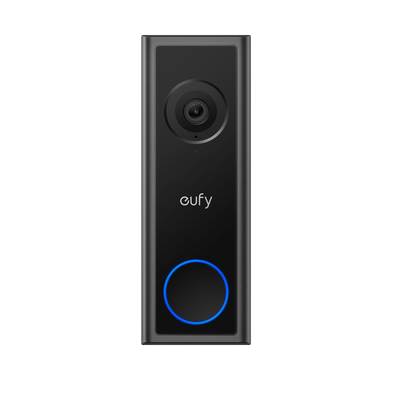
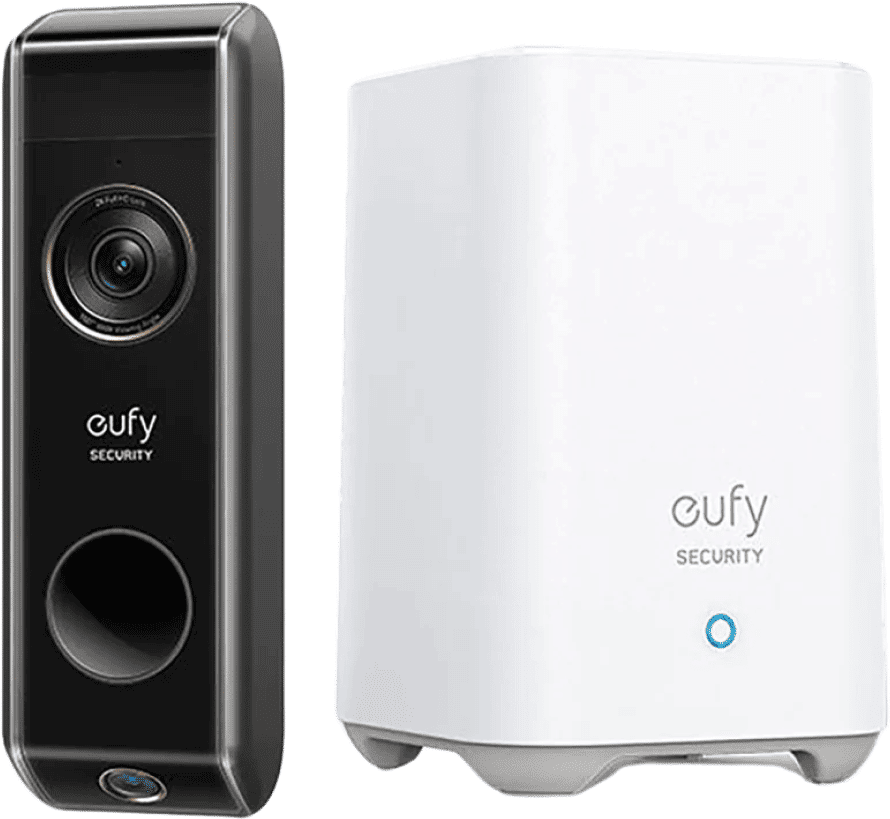
eufy Video Doorbell C30Crystal-Clear Welcome in 2K FHD: Experience 2K FHD clarity for detailed and vivid visuals, ensuring you can see exactly who is at your door, even at night. The 16:9 expanded view provides a wider picture of your entire front door area, offering...59,99 $*Shipping: 0,00 $Secure redirect to the provider
-
Movavi Video Editor - LifetimeBuy Movavi Video Editor at a discounted price from an official reseller As an official Movavi reseller, PrimeLicense offers you a safe and reliable way to buy Movavi Video Editor at a great price. Receive a 100% original license key, fast email delivery, guaranteed activation, and free customer support from our expert team. Thousands of customers trust PrimeLicense, with great reviews on Trustpilot, Google and Trusted Shops. When you buy Movavi Video Editor at PrimeLicense you get: An authentic Movavi activation key Clear installation and activation instructions Free PrimeLicense technical support Licensing options (Windows and macOS) Movavi Video Editor is available in two official licences: annual subscription and perpetual licence. The main functionality is the same, but the duration and updates change. Subscription licence - 1 year This licence allows you to use Movavi Video Editor for 12 months from the date of activation. Full access to all features during the active period All updates and new features released during the year Use on one computer only, according to Movavi's terms When your subscription expires, you must renew your licence. Perpetual License The perpetual license is a one-time purchase that allows you to use Movavi Video Editor with no time limit and no recurring costs. Lifetime use of the purchased version Updates and fixes included in the same version Full access to all editing tools Activation on a single computer (Windows or macOS) Upgrades to later major versions may require the purchase of a new licence. Products you may be interested in Office Suite: Microsoft Office 2016 to 2024. Operating Systems: Windows and Parallels Desktop. Antivirus software: System and data protection. VPN services: Secure and private browsing. Photo and video software: Solutions for beginners and professionals.51,90 £*Shipping: 0,00 £Secure redirect to the provider
-
Anker eufy Video Doorbell C30Crystal-Clear Welcome in 2K FHD: Experience 2K FHD clarity for detailed and vivid visuals, ensuring you can see exactly who is at your door, even at night. The 16:9 expanded view provides a wider picture of your entire front door area, offering enhanced security and peace of mind. Real-Time Chat, Seamless Experience: Stay connected with your visitors in real time. When someone rings the doorbell, you'll receive a pop-up video call on your phone. If you're not at home, you can set up quick responses and ask visitors to leave voice memos, ensuring you never miss an important message. Easy Setup, Convenient Power: Enjoy the flexibility of easy installation with the built-in 5,000 mAh battery, allowing you to place the doorbell wherever you prefer without worrying about wiring. Local Storage, No Monthly Fee: Keep your footage secure and private with local storage. Store recordings on a microSD card with up to 128 GB capacity, eliminating the need for monthly subscription fees and ensuring your data remains under your control. Compatible with HomeBase 3, Works with Alexa & Google Assistant: Seamlessly integrate your doorbell with a range of devices. Pair with the eufy HomeBase S380, eufy Minibase Chime (T8023), and enjoy compatibility with Alexa and Google Voice Assistant devices for a fully connected smart home experience. The Video Call is currently only supported for Solo use. The HB3 version that supports Video Call is expected to be released in late November.39,99 £*Shipping: 0,00 £Secure redirect to the provider


-
What type of bike is suitable for forest trails or hilly, rocky paths?
A mountain bike is the most suitable type of bike for forest trails or hilly, rocky paths. Mountain bikes are designed with sturdy frames, wide tires with deep treads for better traction, and suspension systems to absorb shocks from rough terrain. They also have a wide range of gears to help navigate steep inclines and descents. Overall, mountain bikes are built to handle the challenges of off-road riding and provide a comfortable and stable ride on forest trails and hilly, rocky paths. **
-
What is video encoding and video decoding?
Video encoding is the process of converting a video file from one format to another, typically to reduce its file size or to make it compatible with a specific device or platform. This process involves compressing the video data using various algorithms to maintain visual quality while reducing the file size. Video decoding, on the other hand, is the process of converting a compressed video file back to its original format so that it can be viewed or played on a device. Decoding involves decompressing the video data and reconstructing the original video frames for playback. Both encoding and decoding are essential processes for video streaming, storage, and playback. **
-
How do you shift gears while cycling to pedal slowly or stop pedaling?
To shift gears while cycling to pedal slowly or stop pedaling, you need to first anticipate the need to change gears by assessing the terrain or your speed. Then, you can use the gear shifters on your bike to move the chain onto a larger sprocket at the rear and a smaller chainring at the front to make pedaling easier. This will allow you to pedal slowly or stop pedaling more comfortably without putting too much strain on your legs. Remember to shift gears smoothly and gradually to avoid damaging your bike's drivetrain. **
-
What is the difference in calorie expenditure between road cycling and mountain biking?
The calorie expenditure for road cycling and mountain biking can vary based on factors such as intensity, terrain, and duration. Generally, road cycling on flat terrain at a moderate pace can burn around 400-600 calories per hour, while mountain biking on varied terrain with hills and obstacles can burn around 500-800 calories per hour. The higher calorie expenditure in mountain biking is due to the increased effort required to navigate the challenging terrain and obstacles. Overall, mountain biking tends to result in a higher calorie expenditure compared to road cycling. **
How do you shift gears while cycling to pedal slowly or to stop pedaling?
To shift gears while cycling to pedal slowly or to stop pedaling, you need to use the gear shifters on your bike. To pedal slowly, shift to a lower gear by moving the shifter towards you or to a higher number. This will make it easier to pedal with less resistance. To stop pedaling, simply stop applying pressure to the pedals and coast. Remember to shift to an appropriate gear before coming to a complete stop to make it easier to start pedaling again. **
How can you insert a video at the end of a video on Video Star?
To insert a video at the end of a video on Video Star, you can use the "Add Clip" feature. First, import the video you want to add at the end of your current video into Video Star. Then, drag and drop the new video clip to the end of your current video timeline. You can adjust the length and position of the new video clip to ensure it seamlessly transitions at the end of your video. Finally, preview your video to make sure the new clip is inserted correctly at the end. **
Top-Angebote
Products related to Video:
-
Movavi Video ConverterBuy Movavi Video Converter at a discounted price from an official reseller As an official Movavi reseller, PrimeLicense offers a safe and reliable way to buy Movavi Video Converter at a great price. Receive a 100% original license key, fast email delivery, guaranteed activation, and free customer support from our expert team. Thousands of customers trust PrimeLicense, with great reviews on Trustpilot, Google and Trusted Shops. When you buy Movavi Video Converter at PrimeLicense you get: An authentic Movavi activation key Clear and detailed installation and activation instructions Free PrimeLicense technical support Licensing options (Windows / macOS) Movavi Video Converter is available in two official licences: a 1-year subscription licence and a perpetual licence. Both include the same core conversion functionality, but differ in terms of duration of use and update management. Subscription licence - 1 year The 1-year licence allows you to use Movavi Video Converter for 12 months from the date of activation. Full access to all video, audio, and image conversion features during the period of validity All updates and enhancements released during the subscription year Use of the software on a single computer, according to Movavi's licence terms When the subscription expires, the licence must be renewed to continue using the software. Perpetual licence A perpetual license is a one-time purchase that allows you to use Movavi Video Converter with no time limit and no recurring fees. Lifetime use of the purchased version of Movavi Video Converter Access to updates and bug fixes included in the main version itself Full access to all conversion tools included in this version Activation on a single computer (Windows or macOS, depending on licence) Note: upgrades to later major versions may require the purchase of a new licence. This flexible licensing model allows you to choose between a lower initial cost with ongoing updates (subscription) or a one-off purchase for long-term use (perpetual licence), depending on your needs. Secure purchase with comprehensive buyer protection Every purchase is protected by Trusted Shops buyer protection up to €2,500, along with a 30-day money back guarantee, so you can buy with complete peace of mind. All payments are protected by advanced SSL encryption to safeguard your personal and payment details. We partner with trusted payment providers such as Stripe, Apple Pay and Google Pay to ensure a fast, smooth and secure checkout process. Get the software in 3 easy steps Purchase licence key - Buy Movavi Video Converter at a discounted price on PrimeLicense and receive your activation key by email, along with installation instructions. Download and install - Download the software directly from the official Movavi website and install it on your computer. Activatethe software - Enter your license key to activate Movavi Video Converter and start converting your files right away. Movavi Video Converter Software Overview Movavi...42,90 £*Shipping: 0,00 £Secure redirect to the provider
-
Inspire Essentials StudioGlow Portable Led Video Light StudioGlow Portable Led Video LightBring your content to life with the StudioGlow Portable Led Video Light, designed for creators who need bright, balanced, and reliable lighting anywhere. This compact light packs powerful output, adjustable color temperature, and long battery life...71,98 $*Shipping: 0,00 $Secure redirect to the provider
-
eufy Video Doorbell C30Crystal-Clear Welcome in 2K FHD: Experience 2K FHD clarity for detailed and vivid visuals, ensuring you can see exactly who is at your door, even at night. The 16:9 expanded view provides a wider picture of your entire front door area, offering...59,99 $*Shipping: 0,00 $Secure redirect to the provider
-
Movavi Video Editor - LifetimeBuy Movavi Video Editor at a discounted price from an official reseller As an official Movavi reseller, PrimeLicense offers you a safe and reliable way to buy Movavi Video Editor at a great price. Receive a 100% original license key, fast email delivery, guaranteed activation, and free customer support from our expert team. Thousands of customers trust PrimeLicense, with great reviews on Trustpilot, Google and Trusted Shops. When you buy Movavi Video Editor at PrimeLicense you get: An authentic Movavi activation key Clear installation and activation instructions Free PrimeLicense technical support Licensing options (Windows and macOS) Movavi Video Editor is available in two official licences: annual subscription and perpetual licence. The main functionality is the same, but the duration and updates change. Subscription licence - 1 year This licence allows you to use Movavi Video Editor for 12 months from the date of activation. Full access to all features during the active period All updates and new features released during the year Use on one computer only, according to Movavi's terms When your subscription expires, you must renew your licence. Perpetual License The perpetual license is a one-time purchase that allows you to use Movavi Video Editor with no time limit and no recurring costs. Lifetime use of the purchased version Updates and fixes included in the same version Full access to all editing tools Activation on a single computer (Windows or macOS) Upgrades to later major versions may require the purchase of a new licence. Products you may be interested in Office Suite: Microsoft Office 2016 to 2024. Operating Systems: Windows and Parallels Desktop. Antivirus software: System and data protection. VPN services: Secure and private browsing. Photo and video software: Solutions for beginners and professionals.51,90 £*Shipping: 0,00 £Secure redirect to the provider
-
How can I plan cycling routes with komoot?
To plan cycling routes with komoot, you can start by entering your starting point and destination in the app or website. Komoot will then suggest a route based on your preferences such as road cycling, mountain biking, or touring. You can customize your route by adding waypoints, avoiding certain types of terrain, or selecting specific points of interest along the way. Once you are satisfied with your route, you can save it, download it to your GPS device, or share it with others. **
-
How can one get started with road cycling or gravel biking?
To get started with road cycling or gravel biking, it's important to first invest in a good quality bike that fits your body and riding style. Next, familiarize yourself with the rules of the road and safety precautions for cycling. It's also helpful to find a local cycling group or club to join for support and guidance. Start with shorter rides and gradually increase your distance and intensity as you build strength and confidence. Finally, don't forget to invest in proper cycling gear such as a helmet, padded shorts, and cycling shoes to ensure a comfortable and safe riding experience. **
-
What type of bike is suitable for forest trails or hilly, rocky paths?
A mountain bike is the most suitable type of bike for forest trails or hilly, rocky paths. Mountain bikes are designed with sturdy frames, wide tires with deep treads for better traction, and suspension systems to absorb shocks from rough terrain. They also have a wide range of gears to help navigate steep inclines and descents. Overall, mountain bikes are built to handle the challenges of off-road riding and provide a comfortable and stable ride on forest trails and hilly, rocky paths. **
-
What is video encoding and video decoding?
Video encoding is the process of converting a video file from one format to another, typically to reduce its file size or to make it compatible with a specific device or platform. This process involves compressing the video data using various algorithms to maintain visual quality while reducing the file size. Video decoding, on the other hand, is the process of converting a compressed video file back to its original format so that it can be viewed or played on a device. Decoding involves decompressing the video data and reconstructing the original video frames for playback. Both encoding and decoding are essential processes for video streaming, storage, and playback. **
Similar search terms for Video
-
Anker eufy Video Doorbell C30Crystal-Clear Welcome in 2K FHD: Experience 2K FHD clarity for detailed and vivid visuals, ensuring you can see exactly who is at your door, even at night. The 16:9 expanded view provides a wider picture of your entire front door area, offering enhanced security and peace of mind. Real-Time Chat, Seamless Experience: Stay connected with your visitors in real time. When someone rings the doorbell, you'll receive a pop-up video call on your phone. If you're not at home, you can set up quick responses and ask visitors to leave voice memos, ensuring you never miss an important message. Easy Setup, Convenient Power: Enjoy the flexibility of easy installation with the built-in 5,000 mAh battery, allowing you to place the doorbell wherever you prefer without worrying about wiring. Local Storage, No Monthly Fee: Keep your footage secure and private with local storage. Store recordings on a microSD card with up to 128 GB capacity, eliminating the need for monthly subscription fees and ensuring your data remains under your control. Compatible with HomeBase 3, Works with Alexa & Google Assistant: Seamlessly integrate your doorbell with a range of devices. Pair with the eufy HomeBase S380, eufy Minibase Chime (T8023), and enjoy compatibility with Alexa and Google Voice Assistant devices for a fully connected smart home experience. The Video Call is currently only supported for Solo use. The HB3 version that supports Video Call is expected to be released in late November.39,99 £*Shipping: 0,00 £Secure redirect to the provider
-
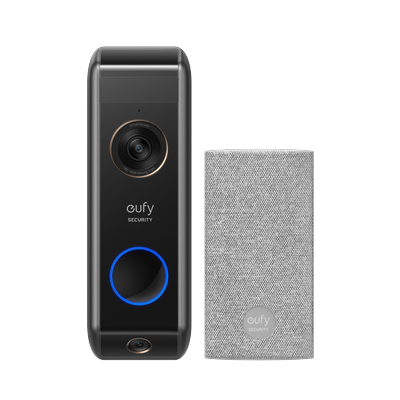
Video Doorbell (Wired) S330 blackNever Miss What Happens at Your Door: The eufy Video Doorbell (Wired) S330 runs on your existing 16–24VAC doorbell wiring, so it stays powered and awake around the clock. Battery doorbells sleep to save power and can sleep through motion. The S330...119,99 $*Shipping: 0,00 $Secure redirect to the provider
-
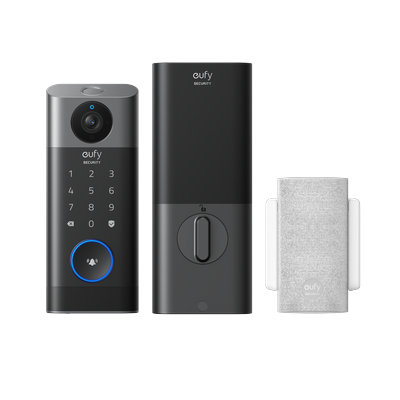
Video Smart Lock S330 BlackAdvanced 3-in-1 Triple Security—Video Smart Lock S330 integrates rapid fingerprint recognition, a 2K HD camera, and a sophisticated video doorbell into one device. Five convenient unlocking methods make life easier every day—Fingerprint recognition,...299,99 $*Shipping: 0,00 $Secure redirect to the provider
-
How do you shift gears while cycling to pedal slowly or stop pedaling?
To shift gears while cycling to pedal slowly or stop pedaling, you need to first anticipate the need to change gears by assessing the terrain or your speed. Then, you can use the gear shifters on your bike to move the chain onto a larger sprocket at the rear and a smaller chainring at the front to make pedaling easier. This will allow you to pedal slowly or stop pedaling more comfortably without putting too much strain on your legs. Remember to shift gears smoothly and gradually to avoid damaging your bike's drivetrain. **
-
What is the difference in calorie expenditure between road cycling and mountain biking?
The calorie expenditure for road cycling and mountain biking can vary based on factors such as intensity, terrain, and duration. Generally, road cycling on flat terrain at a moderate pace can burn around 400-600 calories per hour, while mountain biking on varied terrain with hills and obstacles can burn around 500-800 calories per hour. The higher calorie expenditure in mountain biking is due to the increased effort required to navigate the challenging terrain and obstacles. Overall, mountain biking tends to result in a higher calorie expenditure compared to road cycling. **
-
How do you shift gears while cycling to pedal slowly or to stop pedaling?
To shift gears while cycling to pedal slowly or to stop pedaling, you need to use the gear shifters on your bike. To pedal slowly, shift to a lower gear by moving the shifter towards you or to a higher number. This will make it easier to pedal with less resistance. To stop pedaling, simply stop applying pressure to the pedals and coast. Remember to shift to an appropriate gear before coming to a complete stop to make it easier to start pedaling again. **
-
How can you insert a video at the end of a video on Video Star?
To insert a video at the end of a video on Video Star, you can use the "Add Clip" feature. First, import the video you want to add at the end of your current video into Video Star. Then, drag and drop the new video clip to the end of your current video timeline. You can adjust the length and position of the new video clip to ensure it seamlessly transitions at the end of your video. Finally, preview your video to make sure the new clip is inserted correctly at the end. **
* All prices are inclusive of VAT and, if applicable, plus shipping costs. The offer information is based on the details provided by the respective shop and is updated through automated processes. Real-time updates do not occur, so deviations can occur in individual cases. ** Note: Parts of this content were created by AI.